
Download VidImageSplitter – Free Movie Scene Capture Tool for Windows, Mac, Android & iOS
Capture and save your favorite movie scenes as high-quality still images with VidImageSplitter. This powerful software allows you to extract individual frames from any video file—whether it’s a full-length movie, a YouTube clip, or a personal recording. Perfect for fans, content creators, and social media enthusiasts, VidImageSplitter simplifies the process of turning cinematic moments into lasting visuals. With support for multiple output formats, automatic screenshot intervals, and intuitive controls, this tool is ideal for anyone who wants to preserve memorable scenes. Whether you're building a digital gallery, creating social media content, or sharing highlights online, VidImageSplitter delivers fast, secure, and reliable results across Windows, Mac, Android, and iOS platforms.
Key Features of VidImageSplitter
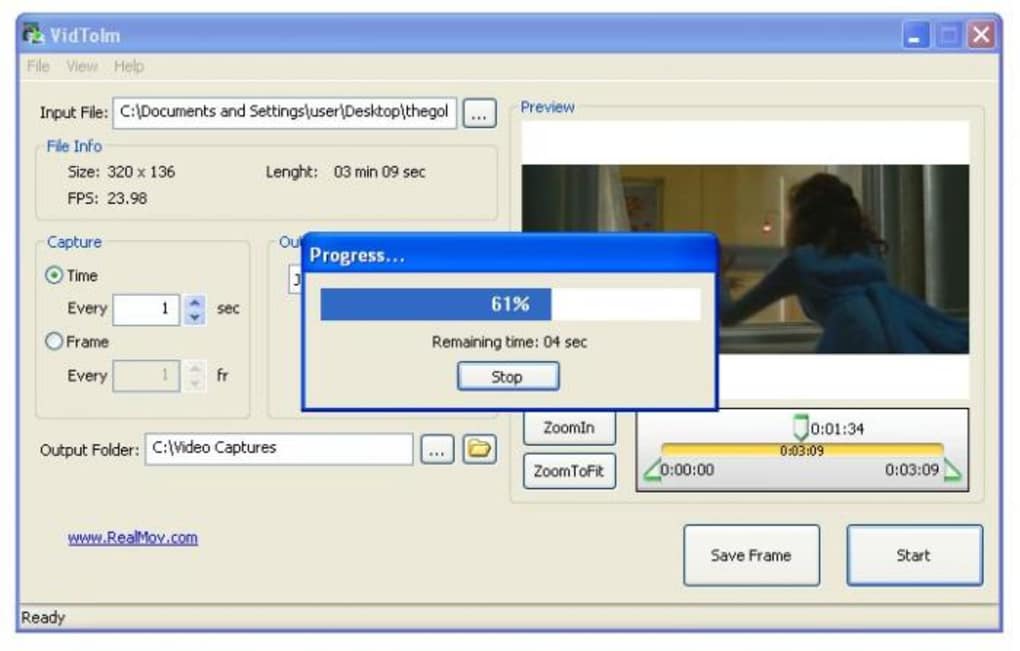
One of the standout aspects of VidImageSplitter is its ability to capture still images from videos with precision and speed. The software supports a wide range of video formats, including MP4, AVI, MOV, MKV, and more, ensuring compatibility with most media files you encounter. Whether you're working with a downloaded movie, a streaming clip, or a home video, VidImageSplitter handles it seamlessly. A major highlight is the automatic screenshot capture feature, which lets you set intervals—every second, every 5 seconds, or even per frame—so you don’t have to manually pause and click. This is especially useful for long-form content like trailers, documentaries, or full-length films.
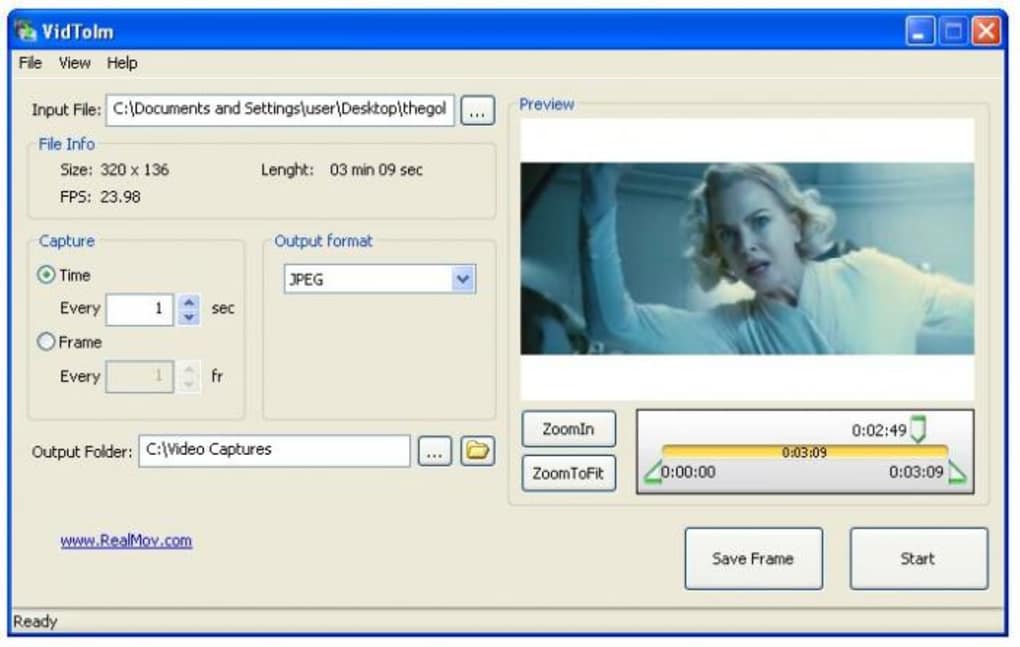
Another powerful feature is the frame-by-frame navigation using the progress bar, which allows you to manually select specific scenes. While the progress bar can be tricky to use with high precision, the tool compensates with a preview window that displays the current frame in real time. This visual feedback helps you identify the exact moment you want to capture. Additionally, VidImageSplitter supports multiple output formats such as PNG, JPEG, BMP, and WebP, giving you flexibility based on your needs—whether you're aiming for lossless quality or smaller file sizes.
For users who value efficiency, the software includes batch processing, enabling you to extract hundreds of images from a single video in minutes. During testing, a 3-minute trailer produced nearly 200 screenshots in just 10 seconds—proof of its lightning-fast performance. The interface is clean and minimal, focusing on core functionality without clutter. Despite minor usability quirks, the feature set makes VidImageSplitter a go-to tool for video frame extraction. It’s also lightweight, consuming minimal system resources, which is ideal for older devices.
How to Install and Use VidImageSplitter
Getting started with VidImageSplitter is straightforward. First, download the software from the official website. The installer is available for Windows, Mac, Android, and iOS, ensuring broad accessibility. For Windows and Mac users, simply run the downloaded .exe or .dmg file, follow the on-screen prompts, and complete the installation. No complex setup is required—just a few clicks and you’re ready to go.
Once installed, launch the app and click “Open Video” to load your desired file. The software will automatically detect the video’s duration and display it in the progress bar. You can either use the automatic capture mode by selecting the interval (e.g., every 1 second) and clicking “Start.” The program will then generate screenshots at the specified intervals and save them to your chosen folder.
Alternatively, switch to manual mode and use the progress bar to navigate through the video. Hover over the timeline and pause at the exact frame you want to capture. Click the “Capture” button to save it.
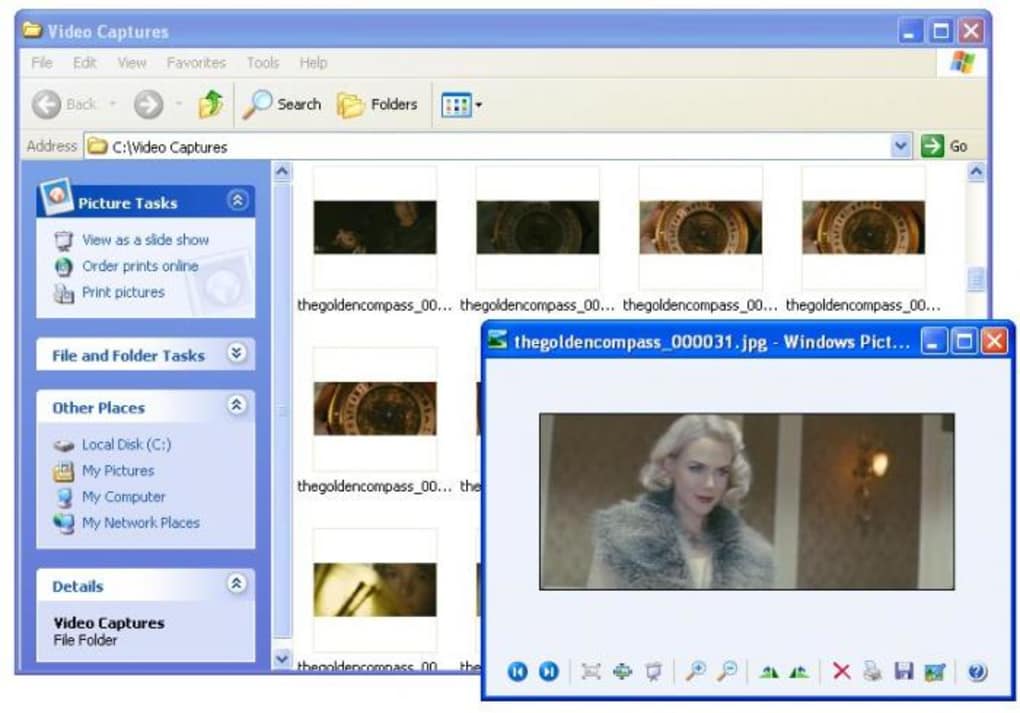
After capturing, you can preview the images in the built-in gallery, rename them, or export them to cloud storage. The software also allows you to customize the output folder, file naming convention, and image quality. For advanced users, there’s a command-line interface for automation, ideal for batch processing multiple videos. The entire process—from loading to saving—is smooth and intuitive, even for beginners. Regular updates ensure compatibility with new video codecs and improved performance, making it a future-proof tool.
Compatibility and System Requirements
VidImageSplitter is designed to work across multiple platforms, making it a versatile choice for users on different devices. It supports Windows 7 and later, including Windows 10 and Windows 11, offering full functionality on both 32-bit and 64-bit systems. For Mac users, the app runs smoothly on macOS 10.14 (Mojave) and newer, including Apple Silicon (M1/M2) Macs with native support. This cross-platform compatibility ensures that whether you're on a desktop or laptop, you’ll have a consistent experience.
For mobile users, VidImageSplitter is available as a dedicated Android and iOS app, allowing you to capture frames directly from your phone or tablet. The mobile version supports local video files and even some streaming content (depending on platform restrictions). However, due to iOS limitations, some background processing features may be restricted. Still, the core functionality—frame capture and export—works flawlessly.
System requirements are modest, which is a major advantage. On Windows and Mac, you’ll need at least 2 GB of RAM, 500 MB of free disk space, and a modern graphics card. The software doesn’t require a high-end system, making it suitable for older computers and low-spec devices.
It runs efficiently on laptops with integrated graphics and doesn’t cause lag during video playback or image processing. This lightweight nature contributes to its fast performance and minimal battery drain on mobile devices. Overall, VidImageSplitter is a well-optimized tool that balances power and efficiency across all supported platforms.
Pros and Cons of VidImageSplitter
- Pros:
- Fast and efficient frame extraction—captures hundreds of images in seconds
- Supports multiple video formats and output image types (PNG, JPEG, BMP, WebP)
- Automatic screenshot capture at user-defined intervals
- Lightweight with low system resource usage
- Available for Windows, Mac, Android, and iOS
- Free to download and use with no hidden costs
- Cons:
- Progress bar navigation can be imprecise, requiring high mouse precision
- Lacks a built-in video player—requires external media player
- Mobile version has limited background processing on iOS
- Interface is minimal but may feel too basic for advanced users
- No built-in editing tools for cropped or enhanced images
Frequently Asked Questions (FAQ)
Is VidImageSplitter free to download and use?
Yes, VidImageSplitter is completely free to download and use. There are no subscription fees or hidden charges. The software is available for Windows, Mac, Android, and iOS, making it accessible to a wide audience.
Can I capture frames from YouTube videos using VidImageSplitter?
You can capture frames from YouTube videos only if you have downloaded the video file first. VidImageSplitter does not support direct streaming from YouTube. However, once you save the video locally, you can easily extract frames using the software.
How many screenshots can VidImageSplitter generate from a single video?
There’s no hard limit. The number depends on your video length and capture interval. For example, a 3-minute video captured every second will generate 180 images. The software can handle large batches efficiently, making it ideal for full-length movies or long trailers.
Does VidImageSplitter support high-resolution images?
Yes, VidImageSplitter preserves the original resolution of the video frame when saving images. It supports high-quality output formats like PNG and WebP, ensuring crisp, detailed stills perfect for printing or online sharing.
Is there a command-line version for automation?
Yes, advanced users can access a command-line interface for automated batch processing. This feature is ideal for developers or content creators who need to process multiple videos without manual intervention.
Final Verdict: Why You Should Download VidImageSplitter Today
Despite minor usability challenges—like the imprecise progress bar and lack of a built-in player—VidImageSplitter stands out as one of the most efficient and reliable tools for capturing movie scenes as still images. Its speed, versatility, and cross-platform support make it a must-have for fans, educators, social media managers, and digital artists. Whether you’re archiving cinematic moments, creating content for Instagram or YouTube, or building a personal media library, this software delivers excellent value.
With regular updates, strong compatibility, and a user-friendly interface, VidImageSplitter continues to evolve. It’s secure, lightweight, and completely free—no ads, no bloatware. If you’re looking for a dependable way to extract high-quality frames from videos, download VidImageSplitter today and start preserving your favorite scenes in seconds.







